
MatrixInn Floating Buttons for Shopify
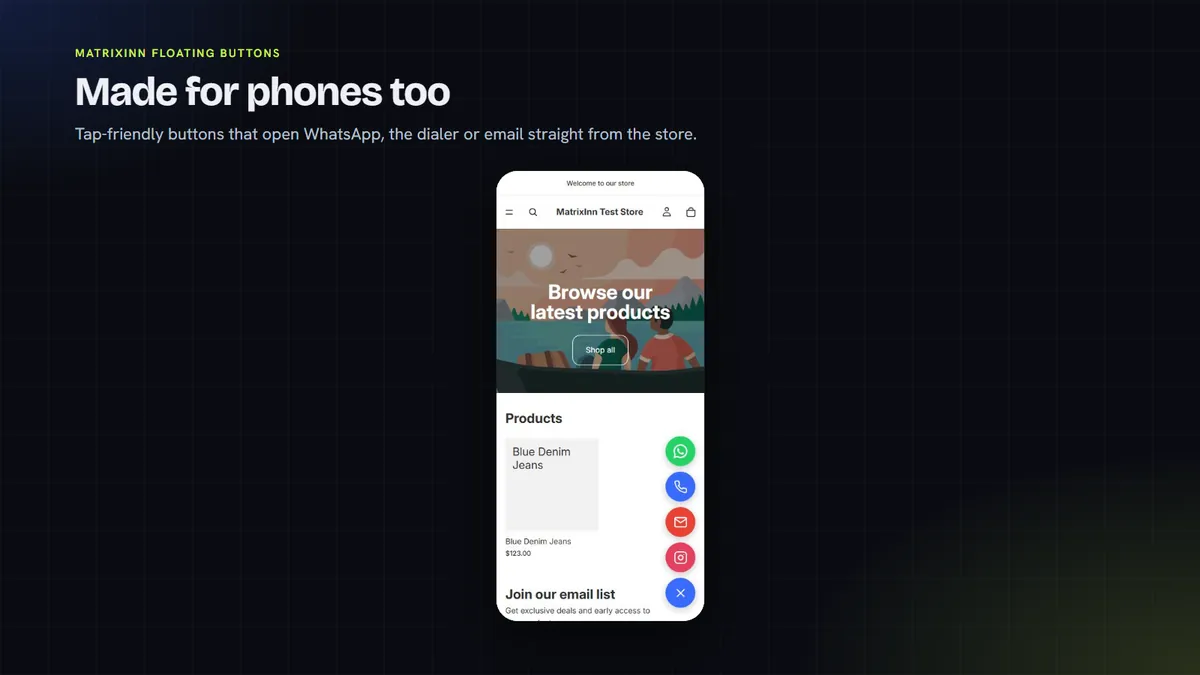
Round contact buttons in the corner of your store, so shoppers can ask a question the moment they have one. Mix WhatsApp, Call, Email, SMS, Telegram, Messenger, Instagram and a custom link, plus a scroll-to-top button.
- $0.99 per 30 days
- 14-day free trial
- No theme code editing
Setup guide and troubleshooting →
Looking for WordPress? MatrixInn Floating Buttons for WordPress is a separate, free plugin. This page is about the Shopify app.

See it in action
About 4 minutes. Hosted on YouTube; nothing loads from YouTube until you press play. Open on YouTube
What the app does
Eight channels, one widget
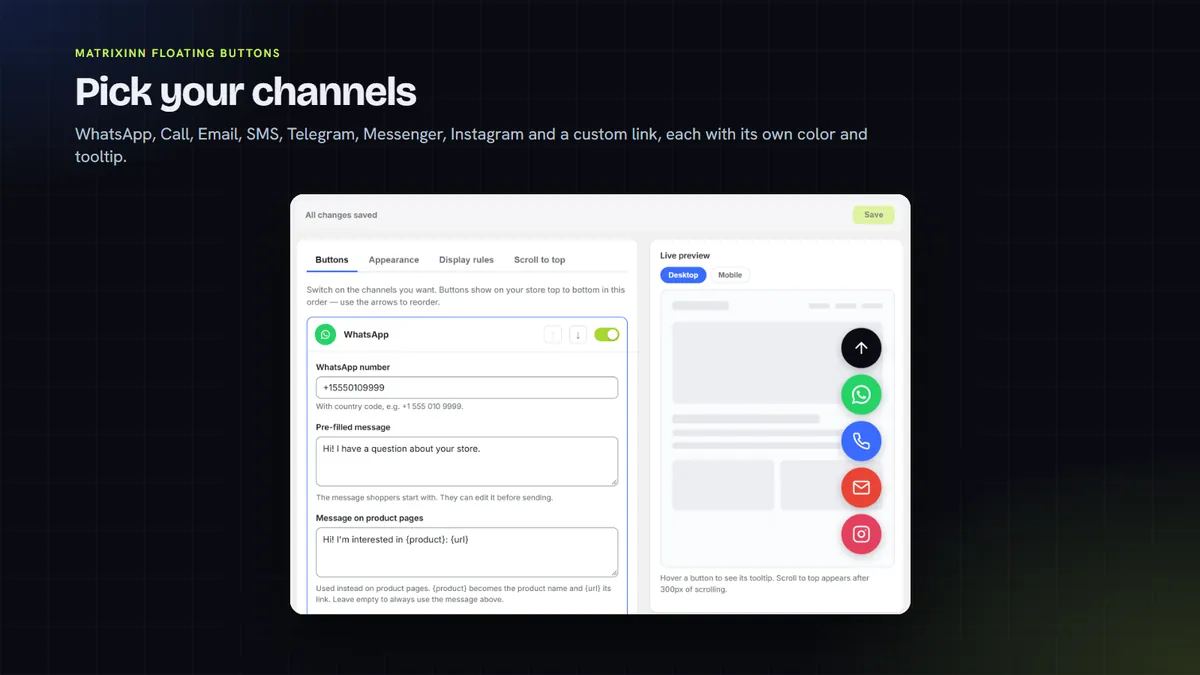
WhatsApp, Call, Email, SMS, Telegram, Messenger, Instagram and a custom link. Use any mix, each with its own color and tooltip.
Product-aware WhatsApp messages
On product pages, the WhatsApp message can include the product name and link, so you know what the shopper is asking about.
Your colors, your layout
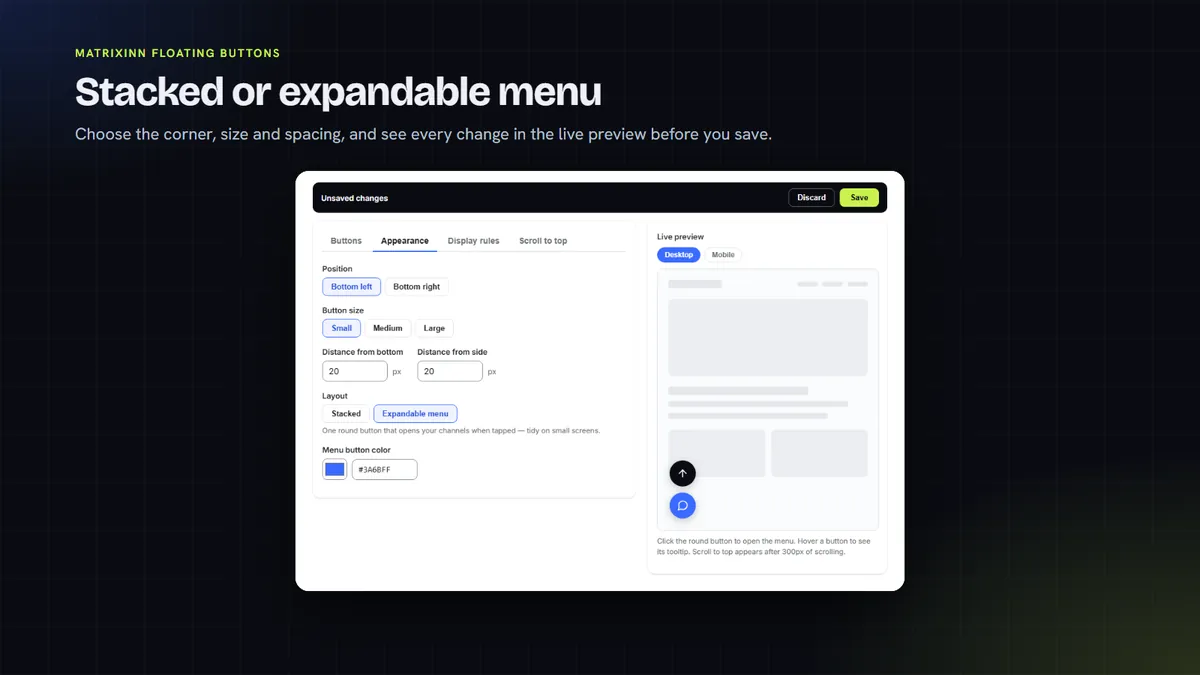
Choose colors, tooltips, 3 sizes and either bottom corner. Show the buttons stacked, or tucked into an expandable menu.
Show them where they help
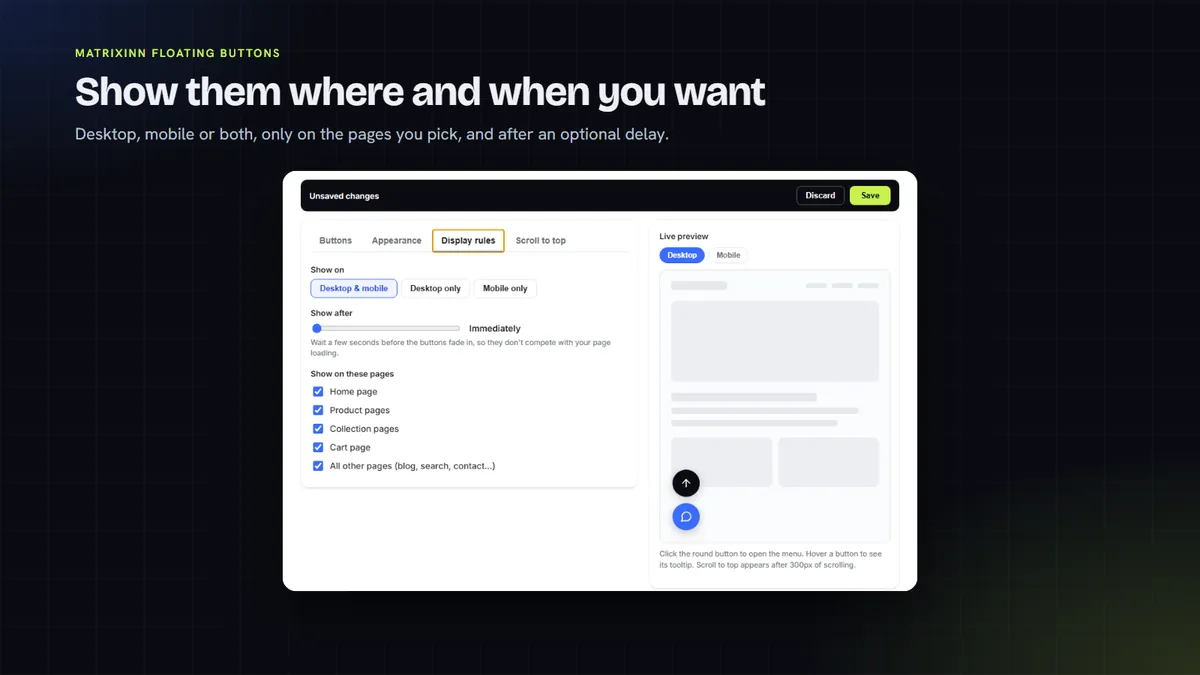
Show the buttons on desktop, mobile or both, on the pages you pick, after a delay you set.
Scroll to top button
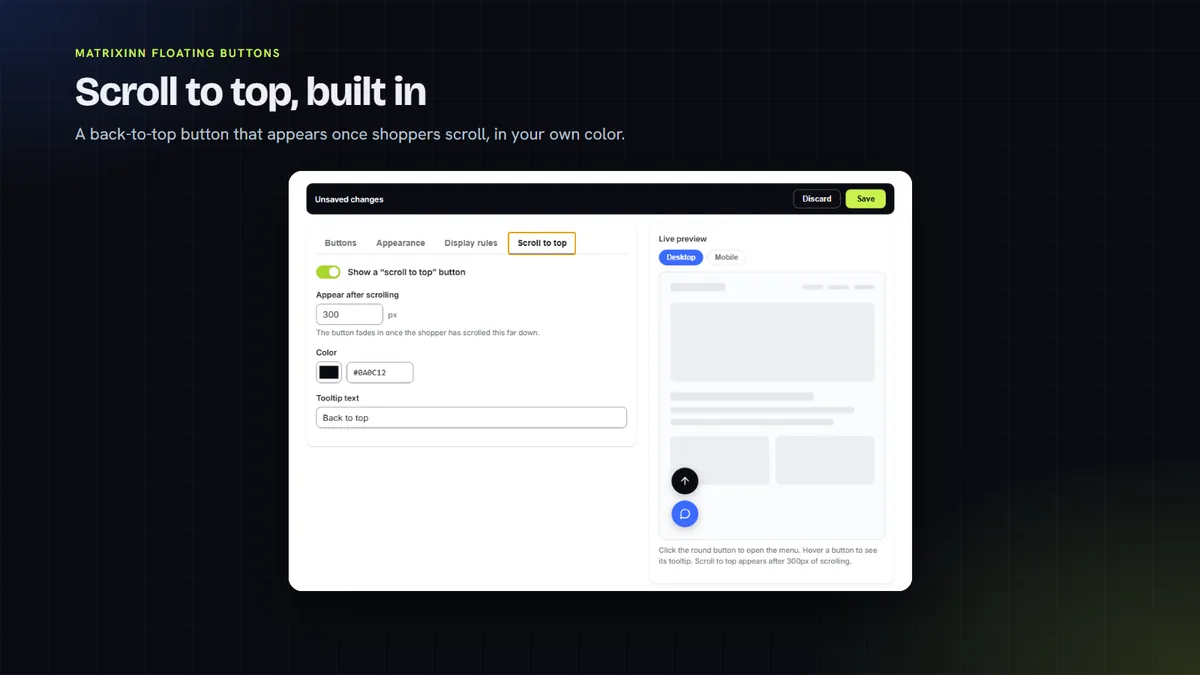
Add an optional scroll-to-top button next to your contact buttons.
Live preview
Every change shows in a live preview while you set up, before you save.
A look inside
How it works
Start your free trial
When the app is listed, add it to your store and start the 14-day free trial from its dashboard.
Choose your channels
Turn on the channels you want, such as WhatsApp and Call, and enter your numbers with the country code. The preview updates as you type.
Turn on the app embed
One click opens your theme editor with Floating Buttons switched on. Save it, and you are done.
Fine-tune the look
Use the Appearance, Display rules and Scroll to top tabs to set the look, the devices, the pages and the delay.
One plan, no usage caps
Try it free for 14 days. After that it is $0.99 per 30 days, billed through Shopify.
14-day free trial
- All 8 channels plus scroll to top
- Every color, layout, size and page rule
- Product-aware WhatsApp messages
- Live preview while you edit
One plan. Billed in USD through Shopify. Cancel from the app dashboard and the buttons are removed from your store.
Questions, answered honestly
Is MatrixInn Floating Buttons for Shopify in the Shopify App Store yet?
Is this the same as your WordPress plugin or your WA Float WhatsApp Button app?
What happens when a shopper taps a button?
Do I need to edit my theme code, and what data does the app collect?
More from MatrixInn
Want to know when it is live?
We will add the Shopify App Store link to this page as soon as the review is finished. Questions in the meantime? Write to us.