
MatrixInn Free Shipping Bar for Shopify
Shows shoppers how much more they need to add to reach your shipping goal, updating live as the cart changes. A small truck drives along the bar, and it celebrates with confetti when the goal is reached.
- $0.99 per 30 days
- 14-day free trial
- No theme code editing
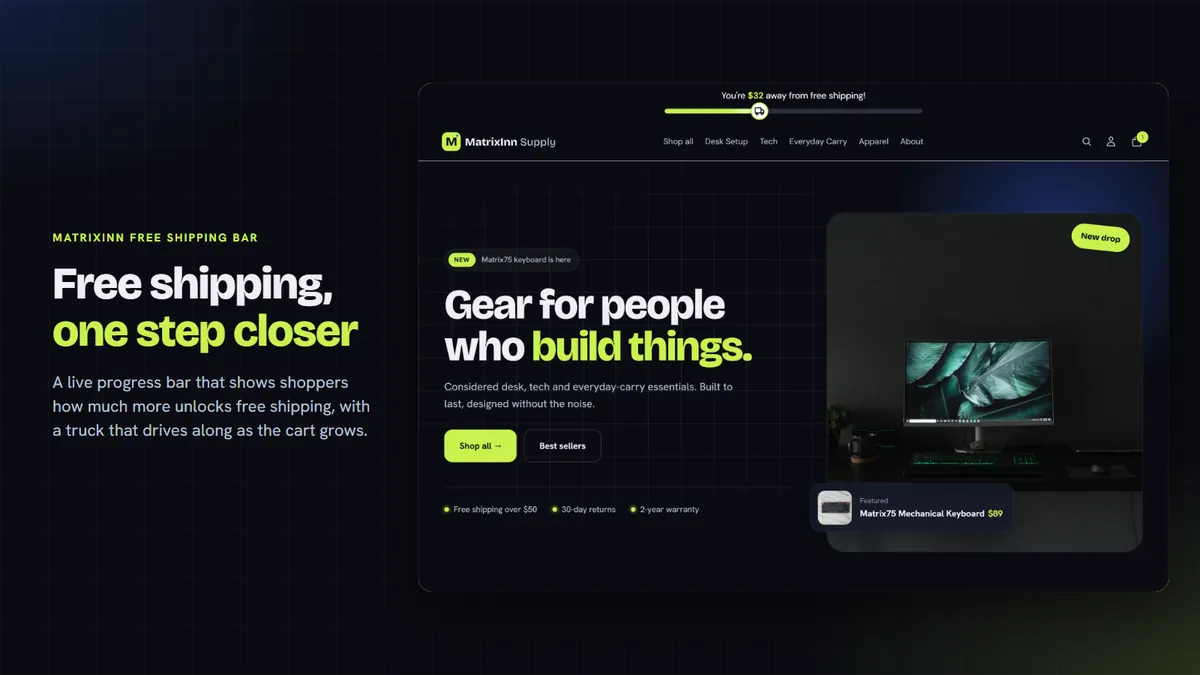
See it in action
About 3 minutes. Hosted on YouTube; nothing loads from YouTube until you press play. Open on YouTube
What the bar does
Live updates
The bar updates the moment shoppers add, remove or change items in their cart, with no page reload.
Animated truck and confetti
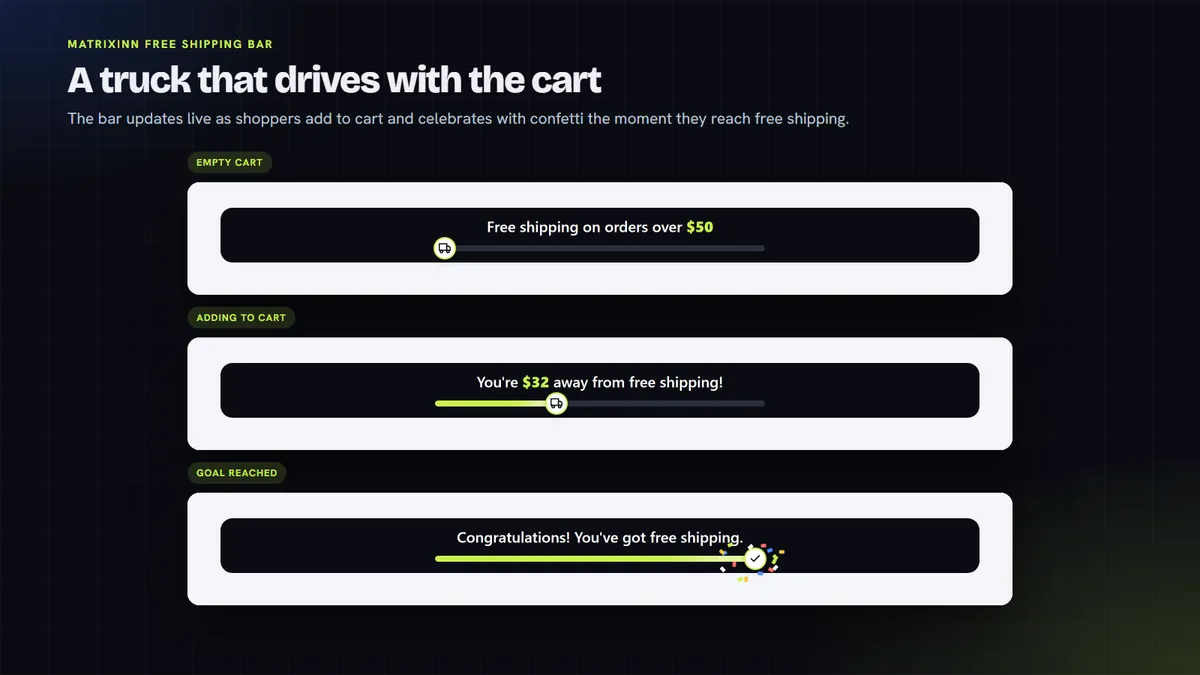
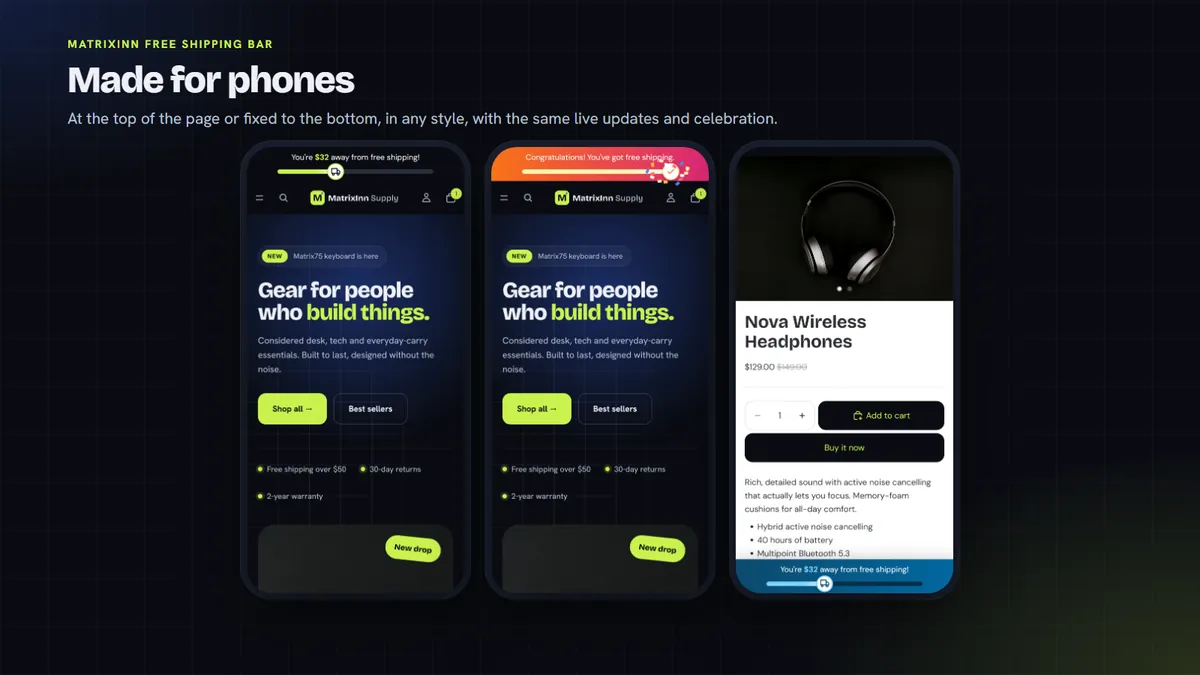
A small truck drives along the bar as the cart fills up, and a short confetti animation plays when the goal is reached.
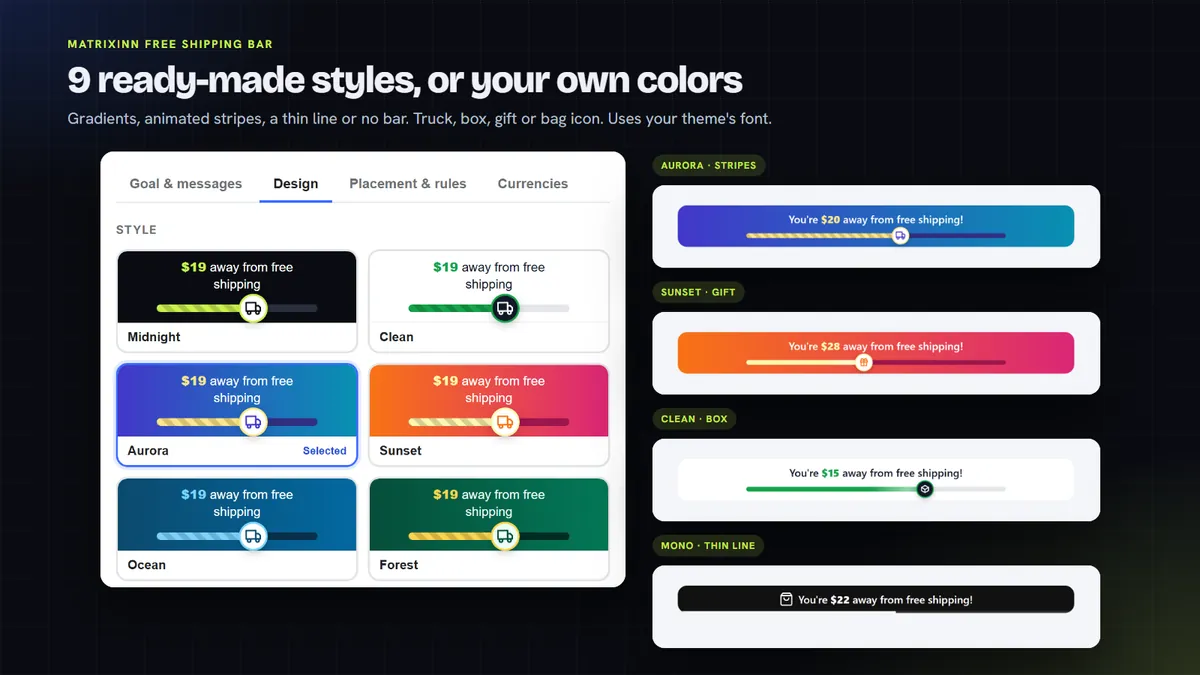
9 styles, or make your own
Start from one of 9 ready-made styles, or set your own colors, gradients, stripes, icons and fonts.
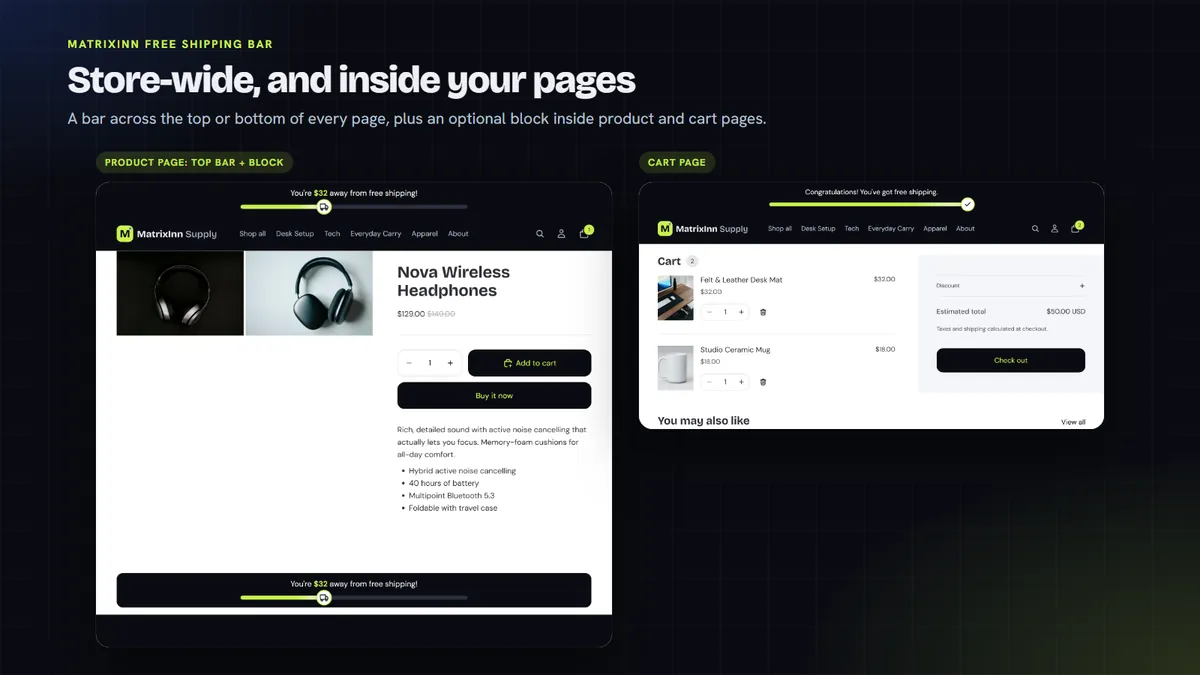
Top, bottom or inside your pages
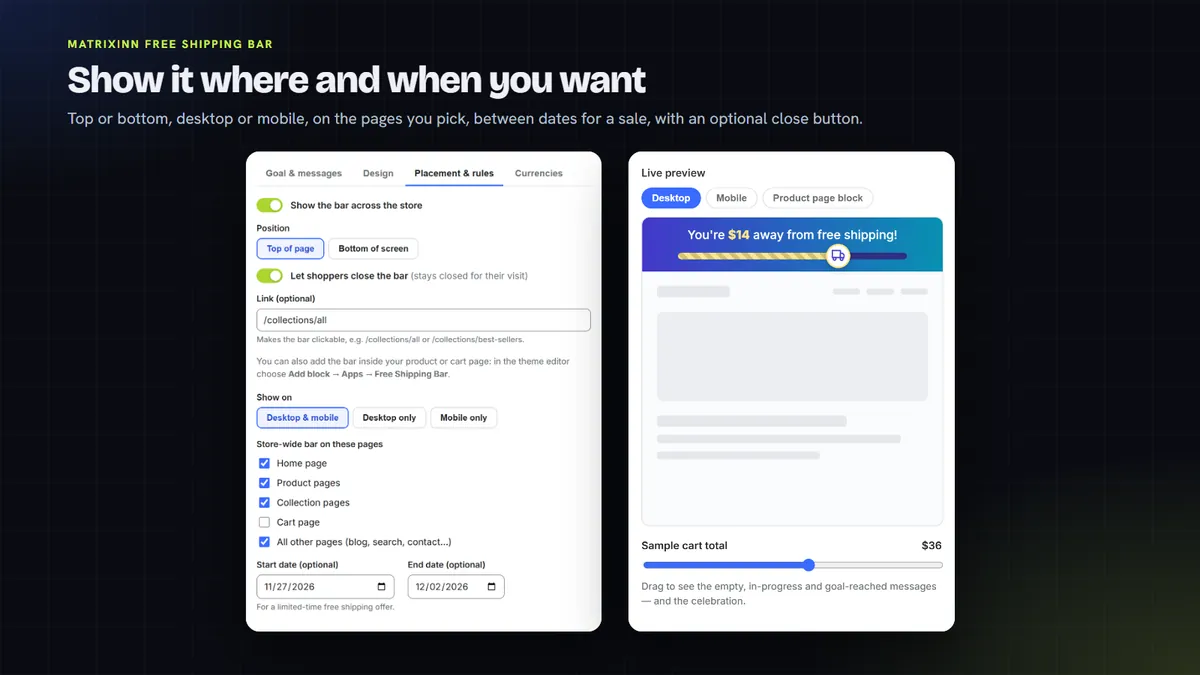
Show the bar at the top or bottom of your store, or inside product and cart pages. Choose the devices, pages and dates.
Any currency
Let the app convert your goal for shoppers in other currencies, or set an exact goal for each currency yourself.
Your own messages
Write what shoppers see for an empty cart, a cart in progress and when the goal is reached.
A look inside

How it works
Start your free trial
When the app is listed, add it to your store and start the 14-day free trial from its dashboard.
Turn on the app embed
One click opens your theme editor with the bar switched on. Save it, and there is no theme code to edit.
Set goal and messages
Enter your free shipping goal and your messages. A live preview shows the empty, in-progress and goal-reached states.
Choose style and placement
Pick a style or your own colors, choose top, bottom or page blocks, and save.
One plan, no usage caps
Try it free for 14 days. After that it is $0.99 per 30 days, billed through Shopify.
14-day free trial
- Unlimited bar views, no caps
- All 9 styles and custom colors
- Top, bottom and page blocks
- Multi-currency goals
One plan. Billed in USD through Shopify. Cancel from the app dashboard and the bar is removed from your store.
Questions, answered honestly
Is MatrixInn Free Shipping Bar in the Shopify App Store yet?
Does the bar change my shipping rates?
Do I need to edit my theme code?
What data does the app collect?
More from MatrixInn
Want to know when it is live?
We will add the Shopify App Store link to this page as soon as the review is finished. Questions in the meantime? Write to us.