
MatrixInn Product Tabs for Shopify
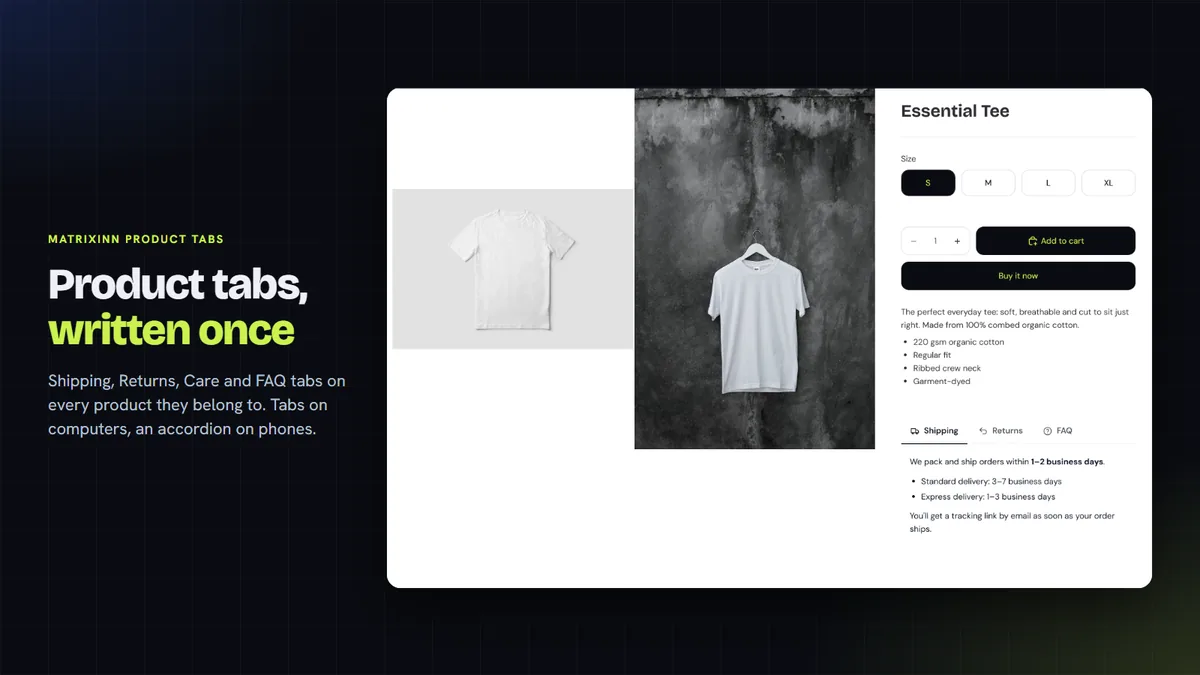
Write your Shipping, Returns, Care or FAQ tab once and show it on the products it belongs to. Tabs sit side by side on computers and turn into a tap-to-open accordion on phones. Choose where each tab shows by tag, type, vendor, collection or product, with exceptions.
- $1.99 per 30 days
- 14-day free trial
- No theme code editing
What the tabs do
Write a tab once, show it everywhere
Create a Shipping, Returns or FAQ tab one time and show it on every product it applies to, instead of copying text into each description.
Rules and exceptions
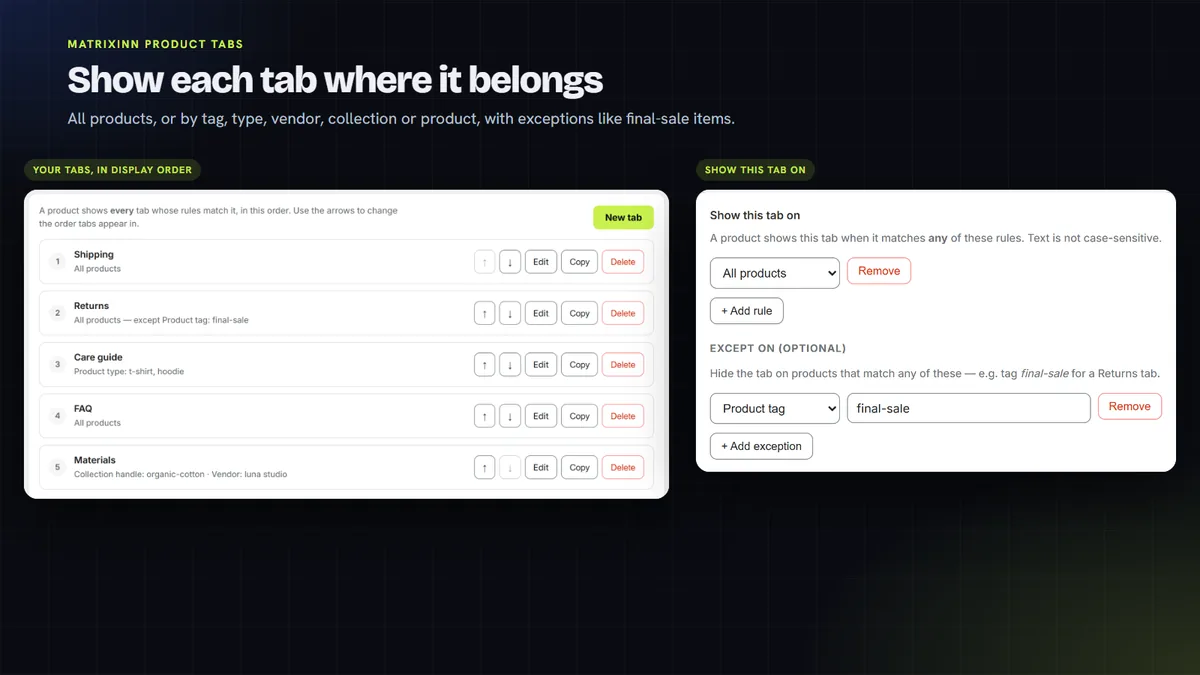
Show each tab on all products or by tag, type, vendor, collection or product. Exceptions hide it where it does not apply, like Returns on final-sale items.
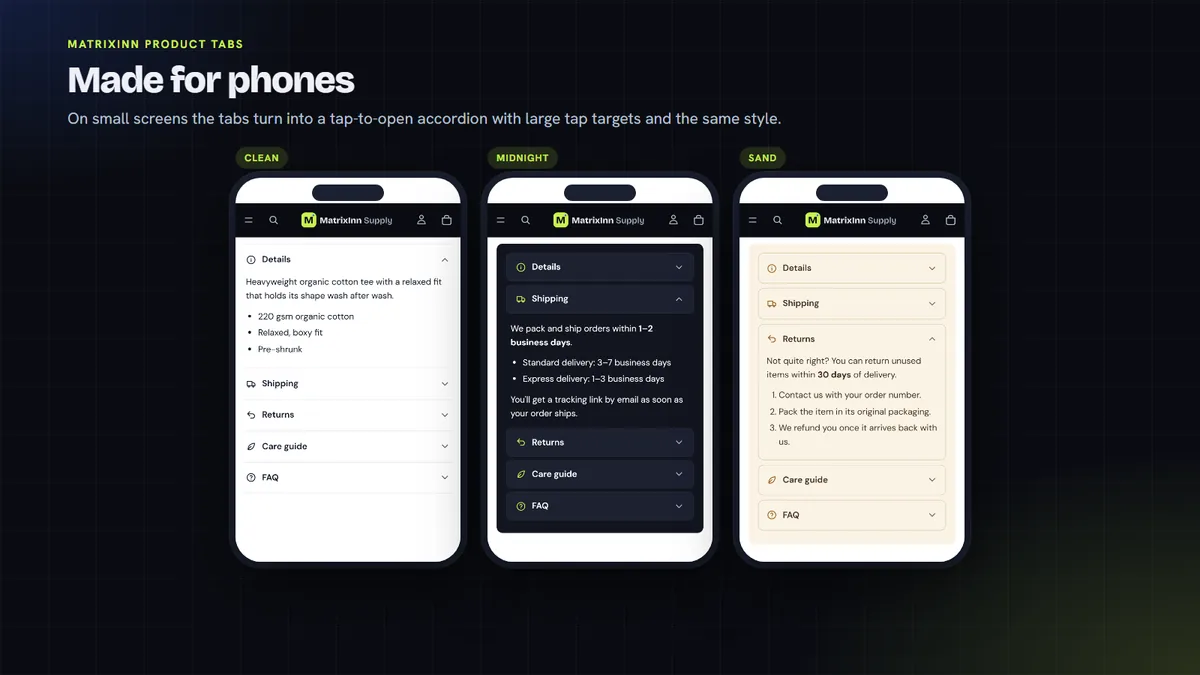
Tabs on computers, accordion on phones
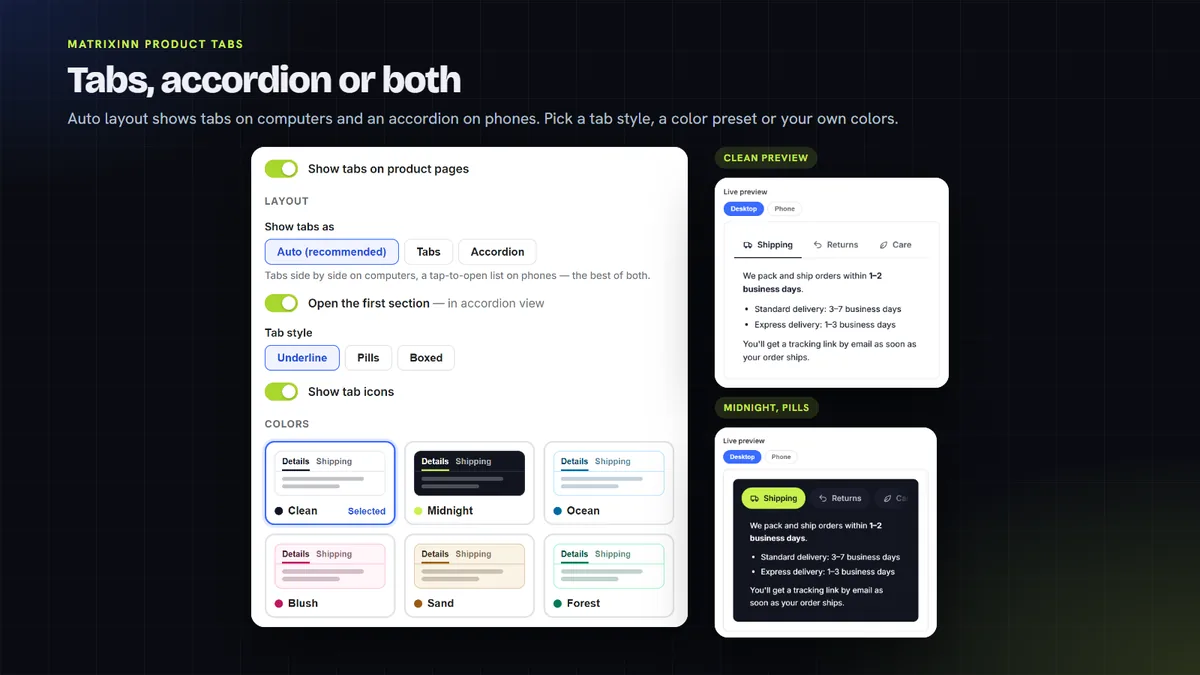
Auto layout shows tabs side by side on large screens and a tap-to-open accordion on phones. Or pick one layout everywhere.
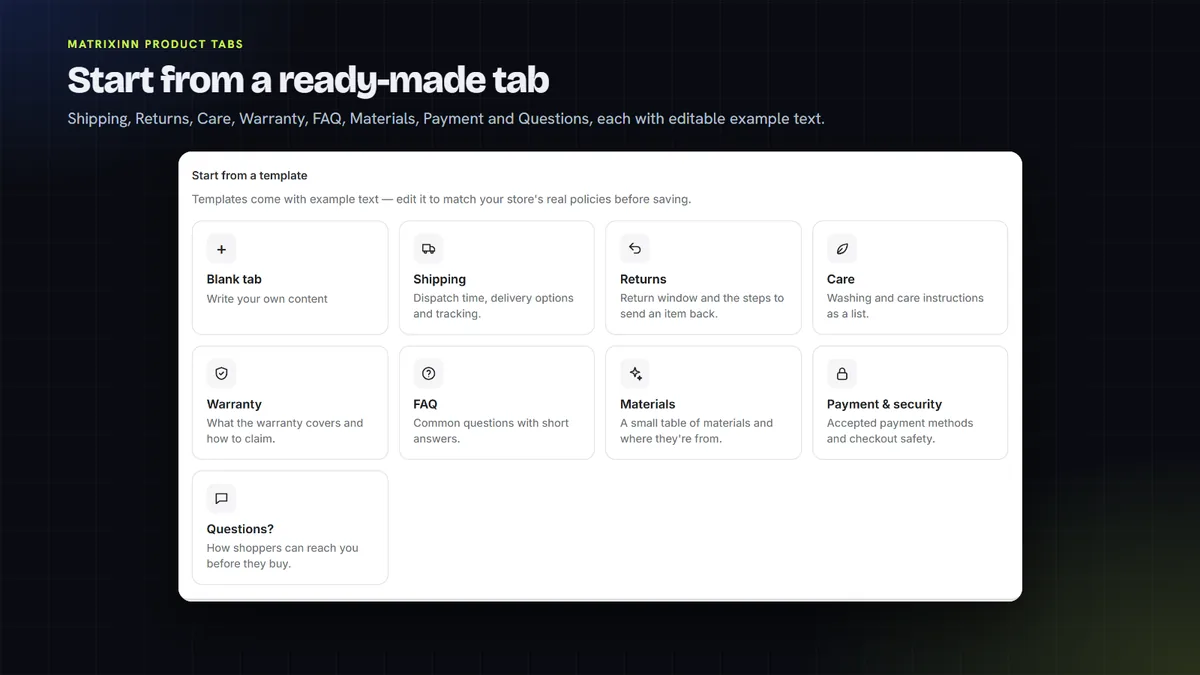
8 templates and a rich-text editor
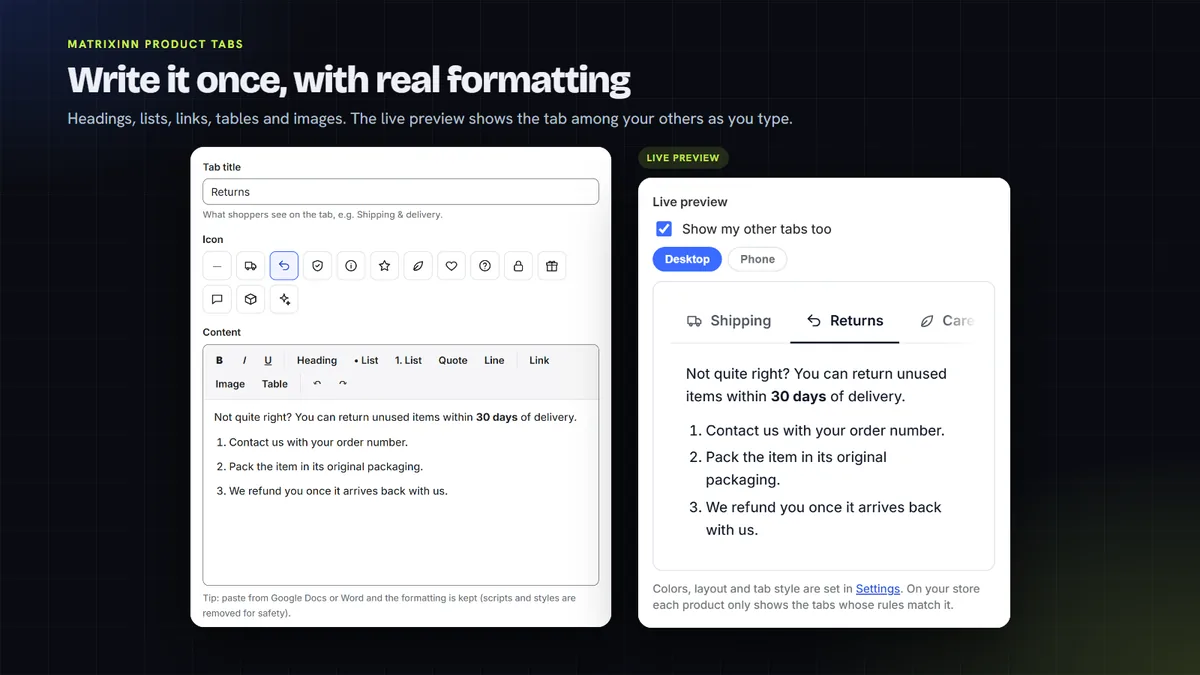
Start from a ready template or a blank tab. Add headings, lists, links, tables and images, with a live preview.
Styles, colors and icons
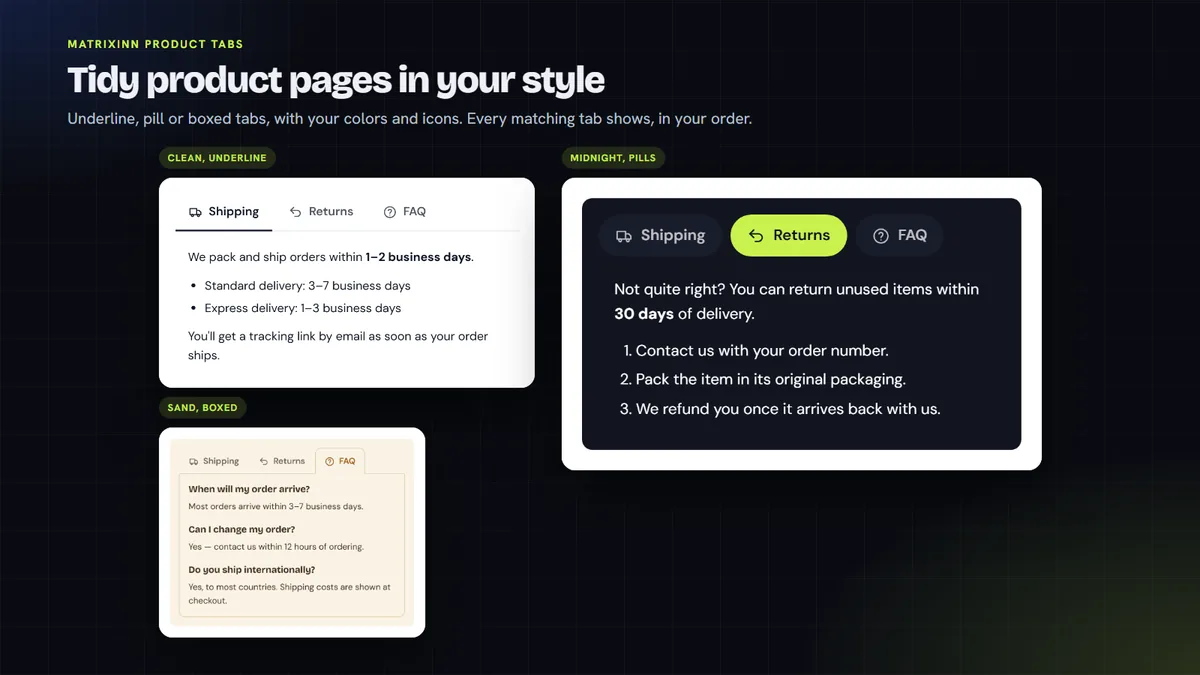
Choose one of 3 tab styles, 6 color presets or your own colors, and an icon for each tab.
Description to tabs
Show the product description as the first tab, or split it into tabs at its headings.
A look inside
How it works
Start your free trial
When the app is listed, add it to your store and start the 14-day free trial from its dashboard.
Create your tabs
Pick a template or a blank tab, write the content and choose where it shows: all products or by tag, type, vendor, collection or product, with exceptions.
Add the block to your product page
Click "Add to product page" on the dashboard. The theme editor opens with the Product tabs block already added; move it if you like and save. There is no theme code to edit.
Choose the look
Pick Auto, Tabs or Accordion, a tab style, colors and icons. Reorder tabs on the Tabs page; that is the order shoppers see.
One plan, no usage caps
Try it free for 14 days. After that it is $1.99 per 30 days, billed through Shopify.
14-day free trial
- Up to 50 shared tabs, unlimited views
- Rules by tag, type, vendor, collection
- Tabs, accordion or auto layout
- Templates, rich text, styles, icons
One plan. Billed in USD through Shopify. Cancel from the app dashboard and the tabs are removed from your store.
Questions, answered honestly
Is MatrixInn Product Tabs in the Shopify App Store yet?
Do I need to edit theme code?
Can a tab show on some products but not others?
How does it look on phones?
Is there a free trial, and how do I cancel?
What data does the app store?
More from MatrixInn
Want to know when it is live?
We will add the Shopify App Store link to this page as soon as the review is finished. Questions in the meantime? Write to us.