
How to Add an Age Verification Pop-up to Your Shopify Store
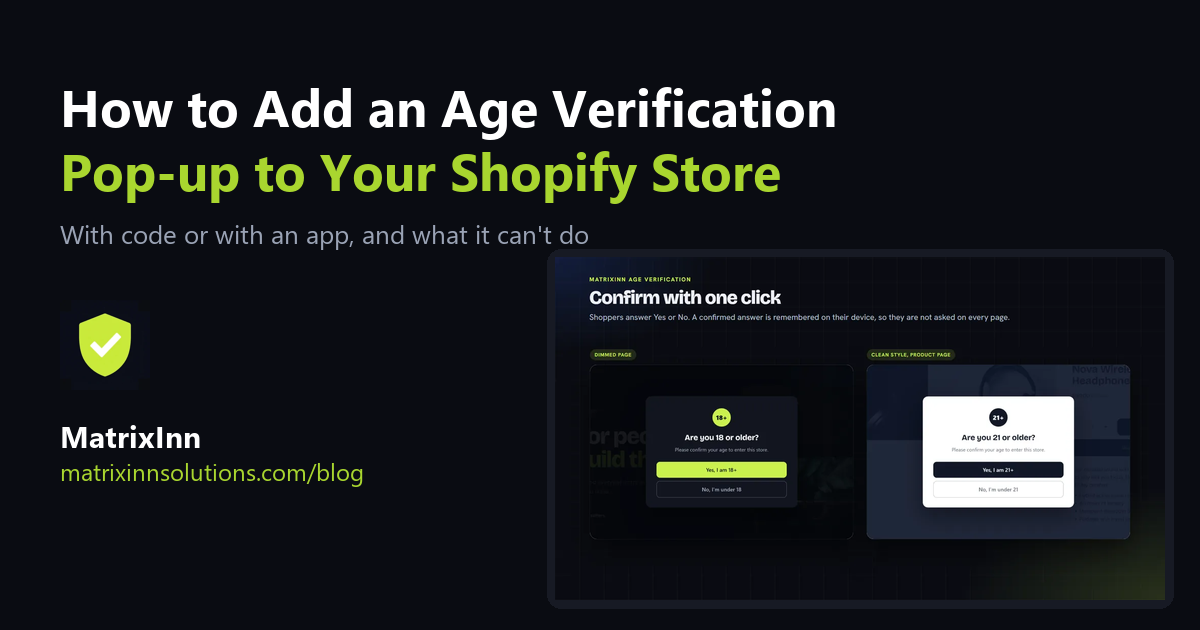
If you sell products that are meant for adults, such as alcohol, vape and tobacco accessories, knives, supplements or adult-themed items, you probably want visitors to confirm their age before they browse. An age verification pop-up on Shopify does that: a short message appears before the store opens and the visitor answers it first.
Shopify itself has no age gate you can switch on, and most themes do not include one, so you have two choices: add one yourself with a little code, or use an app. This guide covers both, and starts with something that is easy to get wrong: what a pop-up like this can and cannot do.
Age Confirmation vs. Real Age Verification
These two things get mixed up, and the difference matters:
- Age confirmation (self-declaration). The visitor clicks "Yes, I am 18 or older" or types a date of birth. Nothing is checked. It stops accidental visits and shows you asked, but a determined visitor can simply click Yes.
- Age verification (ID check). A service checks a government ID, a card or a face scan against the claimed age. This is a separate, paid service and is what some laws require for certain products.
Rules differ by country, state and product. Some places accept a simple confirmation for some products, others do not. We are not lawyers and this guide is not legal advice: check what applies to your products and your customers' countries before you rely on any pop-up. If your products need a real ID check, a pop-up on its own is not enough.
Option 1: Add a Pop-up Yourself (No App)
If you are comfortable editing your theme, a basic Yes / No gate takes a few lines. This is a bare-bones version that remembers the answer in the visitor's browser:
- In your Shopify admin go to Online Store → Themes, click the three dots → Duplicate on your live theme, then Edit code on the copy so you can test safely.
- Open
layout/theme.liquidand paste the code below just before the closing</body>tag. - Click Save, preview the copy in a private window, and publish it when it works.
<div id="age-gate" style="display:none;position:fixed;inset:0;z-index:99999;
  background:rgba(0,0,0,.85);align-items:center;justify-content:center;">
  <div style="background:#fff;color:#111;padding:32px;max-width:380px;
    text-align:center;border-radius:8px;">
    <h2>Are you 18 or older?</h2>
    <p>You must be 18 or older to enter this store.</p>
    <button id="age-yes">Yes, I am 18+</button>
    <button id="age-no">No</button>
  </div>
</div>
<script>
(function () {
  var gate = document.getElementById('age-gate');
  try { if (localStorage.getItem('age-ok') === '1') return; } catch (e) {}
  gate.style.display = 'flex';
  document.getElementById('age-yes').onclick = function () {
    try { localStorage.setItem('age-ok', '1'); } catch (e) {}
    gate.style.display = 'none';
  };
  document.getElementById('age-no').onclick = function () {
    window.location.href = 'https://www.google.com';
  };
})();
</script>
This works, and it is free. Its limits are real, though:
- It is a plain overlay, so it can be hidden by anyone who opens the browser tools. It is a polite gate, not a lock.
- No date of birth, no different age for different countries, no styling beyond what you write yourself.
- It sits in your theme code. A theme update or a theme change can remove it, and you have to re-add it.
- Search engine crawlers will also see the overlay. Make sure it does not hide your whole page content from them, or your pages may be harder to index.
Option 2: An Age Verification App
An app adds the pop-up without editing theme code and gives you settings for the parts the DIY version lacks. We built MatrixInn Age Verification, which is on the Shopify App Store. It is an age confirmation (self-declaration), not an ID check. Setup takes four steps:
Step 1: Install and start the trial
Install the app and click Start free trial on its dashboard, then approve. There is a 14-day free trial, then $0.99 per 30 days, billed through Shopify, with no limit on pop-up views.
Step 2: Turn on the app embed
Click Turn on embed on the dashboard. Your theme editor opens on App embeds with Age Verification switched on. Click Save. It works with any theme and there is no theme code to edit. The pop-up also shows as a preview inside the theme editor.
Step 3: Set the question and the age
Open Settings and choose Yes / No buttons or Enter date of birth. The minimum age is 18 by default; you can change it, or set a different age for each country you pick. Write your own heading, message and button labels. A date of birth is checked in the visitor's browser and is never stored or sent to us.
Step 4: Choose the look and the rules
Pick one of 7 styles or set your own colors, dim or blur the page behind the pop-up and add your logo. Under Behavior you choose how long a confirmed answer is remembered (from one visit up to a year), which pages show the pop-up, whether logged-in customers skip it, and what happens to an under-age visitor: a message, or a redirect to a page you choose.
Finally, open your store in a private window to see exactly what a new visitor sees, and test both the Yes and the No answer.
Which Option Fits You?
| DIY code | App | |
|---|---|---|
| Cost | Free | $0.99 per 30 days after a 14-day trial |
| Theme code | You edit and maintain it | None (app embed) |
| Date of birth check | You write it | Built in |
| Different age per country | You write it | Built in |
| Design | Your own CSS | 7 styles or your own colors, logo |
| Survives a theme change | No, re-add it | Yes, switch the embed on again |
| Legal ID check | No | No |
If you only need a simple Yes / No gate on one theme and you are happy with code, the DIY version is fine. If you want a date of birth, ages by country or a clean look without touching code, an app saves time. If your products legally need a real ID check, neither of these is enough on its own.
Mistakes to Avoid
- Calling it a legal check. A pop-up where visitors confirm their own age does not verify anyone. Do not describe it as verification in your store's text.
- Asking on every page. Remember the answer, otherwise visitors leave. One visit to one year is a sensible range.
- Blocking search engines. A gate that hides the whole page from crawlers can hurt your Google results. MatrixInn Age Verification does not show the pop-up to search engine and speed-test crawlers, and unlocks the page by itself after 5 seconds if its script fails to load, so nobody gets stuck on an empty page. With your own code, test this yourself.
- Not testing on a phone. Most Shopify traffic is mobile. Check that the buttons are easy to tap and the pop-up fits the screen.
- Forgetting the live theme. The theme editor preview always shows the pop-up. Open the live store in a private window to be sure it is on.
Frequently Asked Questions
Does Shopify have a built-in age verification pop-up?
Not as a built-in feature, and most themes do not include one (check yours). You add one with code in your theme, or with an app from the Shopify App Store.
Is an age pop-up legally enough for selling alcohol or vapes?
It depends on your country and product, and we cannot give legal advice. A pop-up where visitors confirm their own age is not an ID check. If the law where you sell requires verification, use a service that checks ID, and speak to a lawyer if you are unsure.
What data does MatrixInn Age Verification store?
The app asks for no access to your products, orders or customers and sets no cookies. A date of birth is used on the spot in the visitor's browser and is never stored. The only thing kept is a small note on the visitor's own device saying how long their answer is valid.
The pop-up does not show on my store. What should I check?
Check that the app embed is on (Online Store → Themes → Customize → App embeds) and that you clicked Save, that your trial or plan is active, that you are looking at the published theme, and that you are testing in a new private window, because a confirmed answer is remembered on the device. The help page lists each fix.
Running a store where a visitor sees both a delivery estimate and an age gate? See how to show an estimated delivery date on Shopify. And if you need something the apps do not do, such as a real ID check built into your checkout flow, tell us about it.