
MS Chat Button for WordPress
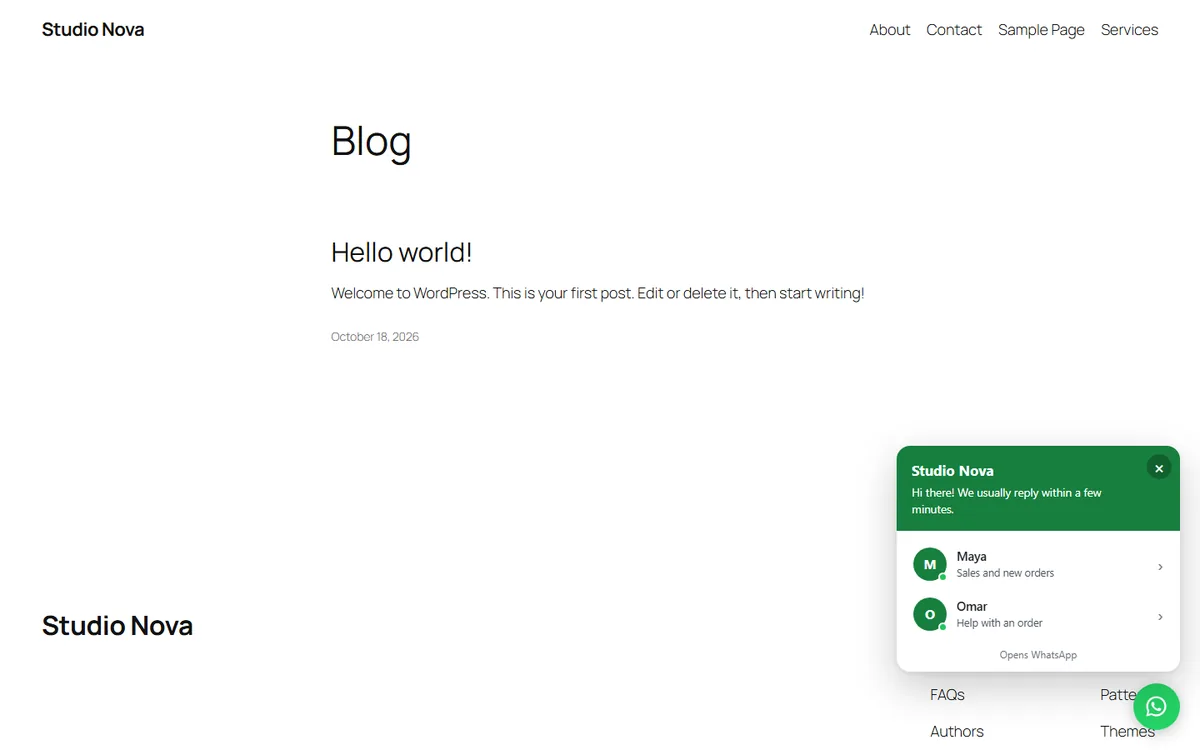
A floating button that lets visitors message you on WhatsApp the moment they have a question. Add a greeting popup, up to five agents and your business hours, choose the pages and devices it shows on, and see every change in a live preview. It is the WordPress version of our WA Float WhatsApp Button for Shopify.
A WhatsApp chat on every page, set up in minutes
Everything listed here is free. There is no trial, no account and no limit.
A floating button that opens a WhatsApp chat
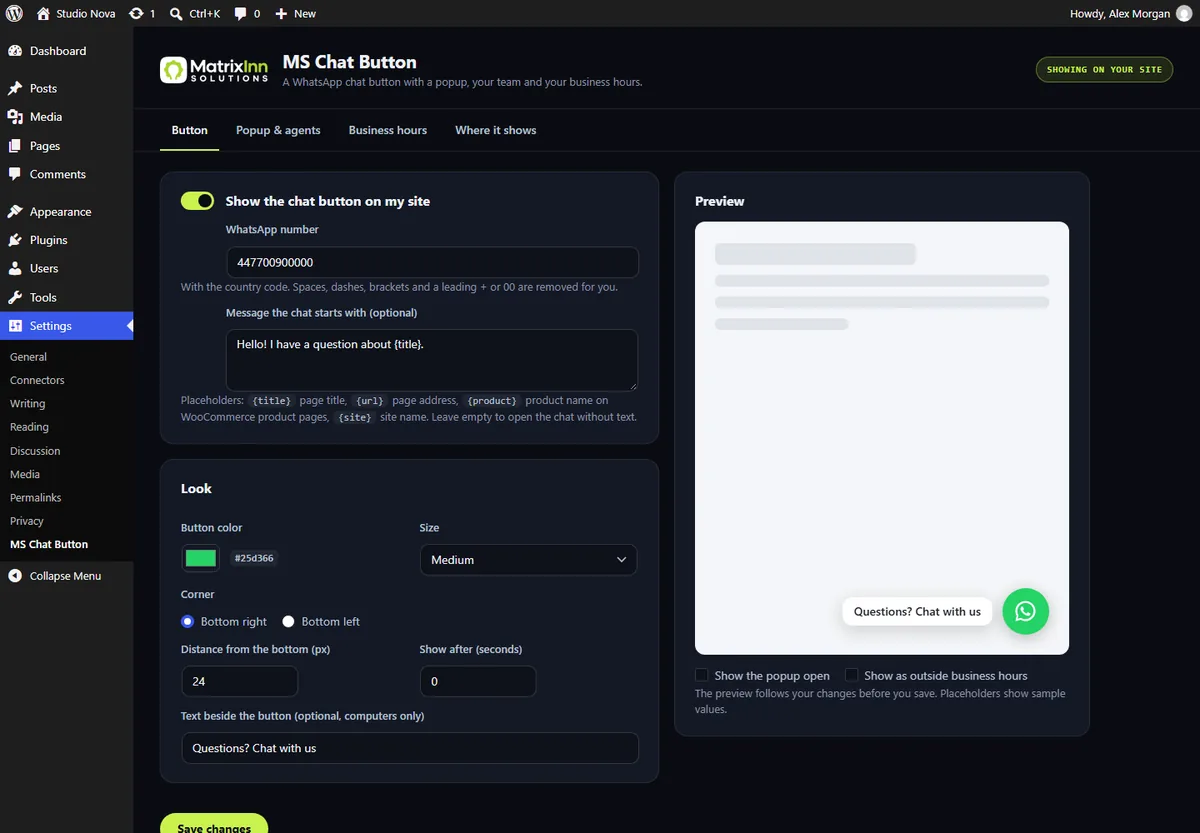
One tap opens a WhatsApp chat with your number. Enter the number any way you like: spaces, dashes, brackets and a leading + or 00 are removed, so the link always works on phones.
A message that knows the page
Start the chat with your own message and placeholders: {title} (page title), {url} (page address), {product} (WooCommerce product name) and {site}. Or start it with no message at all.
Your look
Your colour, bottom left or right, three sizes, the distance from the bottom, a delay before it appears, and an optional text beside it such as "Questions? Chat with us".
Greeting popup and up to 5 agents
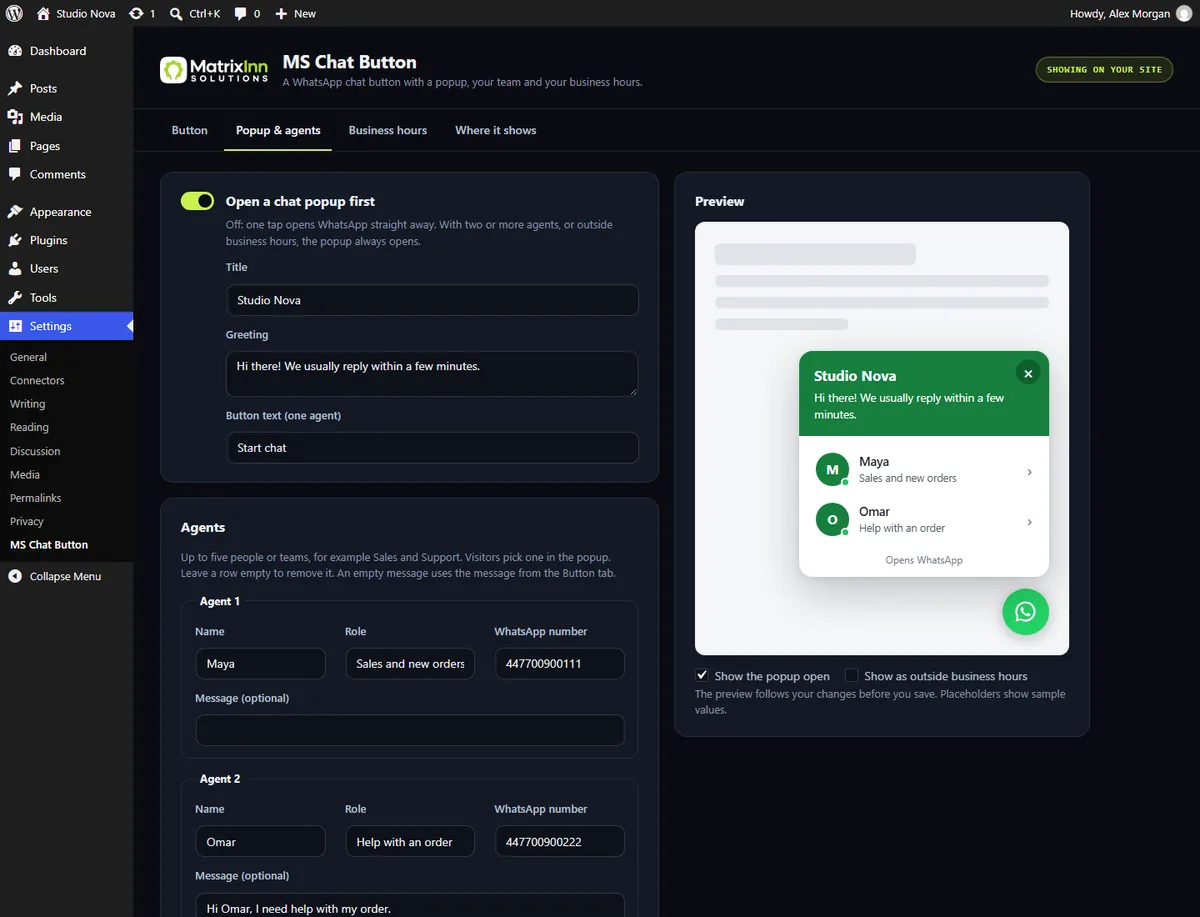
Show a popup with your title, greeting and button text before WhatsApp opens. Add up to five agents, for example Sales and Support, each with a name, role, number and message, and let visitors choose.
Business hours that work with caches
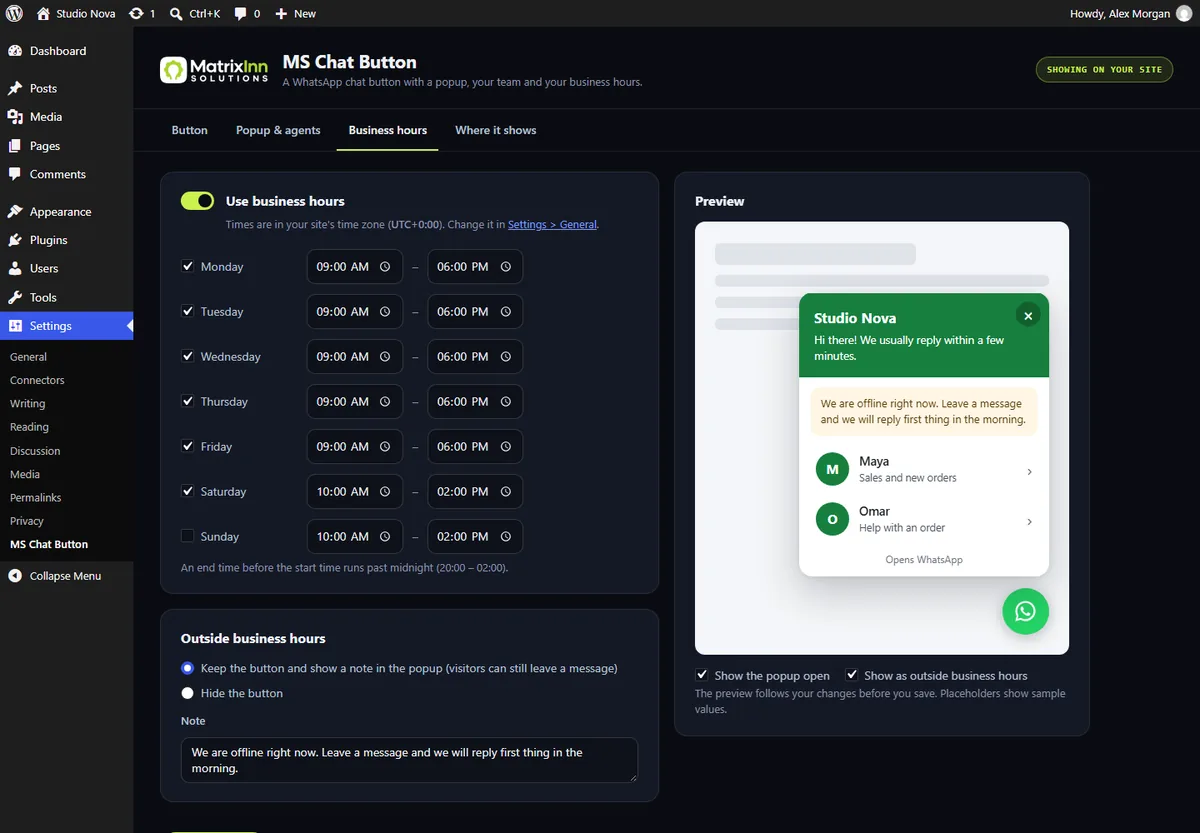
Set opening hours for every day of the week in your site's time zone, also past midnight. Outside them, show a note in the popup or hide the button. Hours are checked in the visitor's browser, so page caches cannot show the wrong state.
Page and device rules
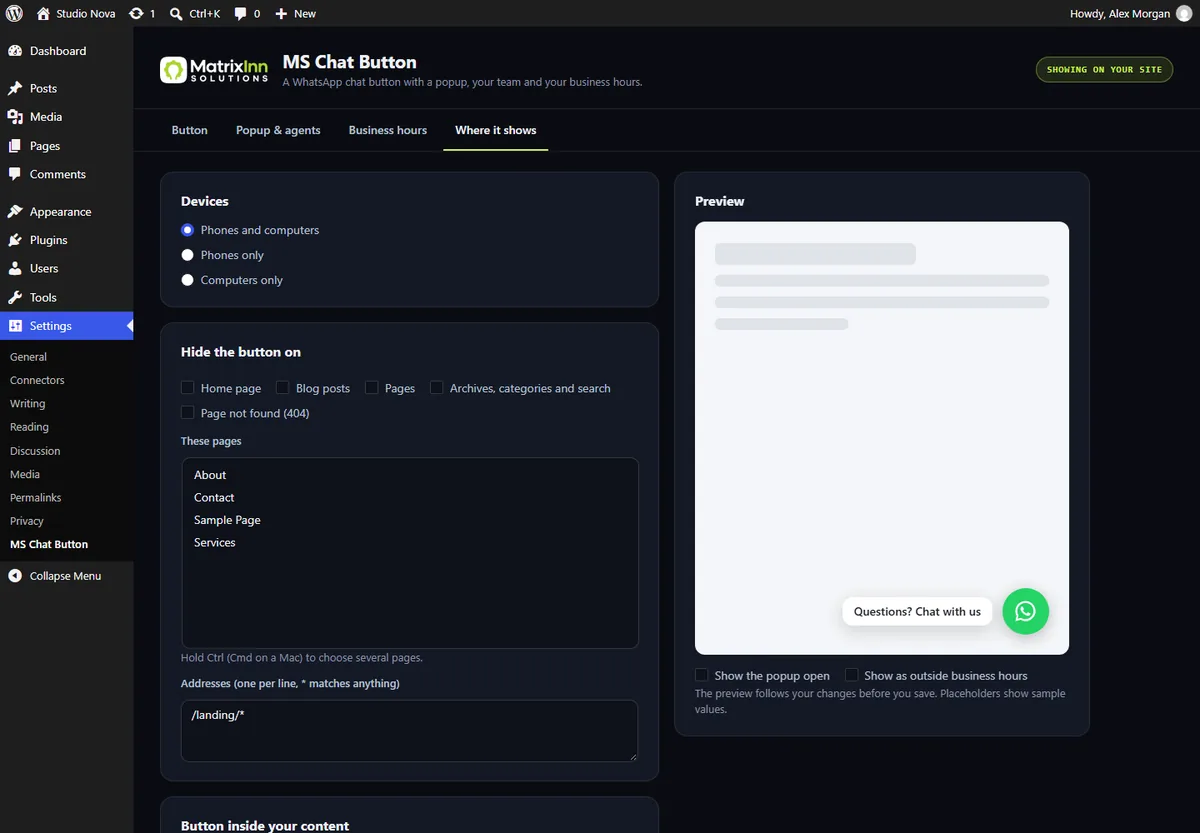
Show it on phones and computers, phones only or computers only. Hide it on the home page, posts, pages, archives, the 404 page, WooCommerce product, shop, cart or checkout pages, chosen pages, or addresses such as /checkout/*.
A shortcode for your content
[ms_chat_button text="Chat on WhatsApp"] puts a chat button inside a post or page builder; agent="2" opens the second agent's chat. Developers can use the minn_cb_show filter to decide where the button shows.
Live preview
The settings screen shows a live preview of the button and popup, including the outside-hours note, so you see every change before you save.
Fast and private
One small stylesheet and one small script, no libraries, no web fonts, nothing loaded from other servers. The plugin stores and sends no visitor data. If Google Tag Manager is on your site, each tap adds an ms_chat_button_click event.
See it in action
Good to know
What’s new
First version: floating WhatsApp chat button, chat popup, up to five agents, business hours, page and device rules, placeholders, shortcode, live preview.
Common questions
Is MS Chat Button free?
Yes. Everything listed on this page is free. There is no trial, no account and no limit.
What does "MS" stand for? Is it made by WhatsApp?
"MS" stands for MatrixInn Solutions, the team that makes it. The plugin opens a WhatsApp chat, but it is not affiliated with or endorsed by WhatsApp or Meta. WhatsApp is a trademark of WhatsApp LLC.
Is it the same as WA Float?
It is the WordPress version of our WA Float WhatsApp button for Shopify, with the same idea: a floating chat button, a greeting popup, agents and business hours. On WordPress it is called MS Chat Button.
The button does not show.
It shows once a WhatsApp number is saved, on the Button tab or for an agent. Check the "Where it shows" tab, and clear your page cache after the first setup.
WhatsApp says the number is not on WhatsApp.
Enter the number with its country code and without the leading 0 of the local number, for example 447700900000 for the UK number 07700 900000.
What happens on a computer?
On computers the button opens WhatsApp Web (or the desktop app) in a new tab. On phones it opens the WhatsApp app.
Which time zone do business hours use?
Your site's time zone from Settings > General.
Does it work with page caching plugins and Cloudflare?
Yes. The page is the same for every visitor, and business hours are checked in the visitor's browser.
When can I download it?
It is built and will be submitted to WordPress.org soon. Email us and we will tell you when it is live.
Want it the day it goes live?
MS Chat Button is coming soon to WordPress.org. Email us and we’ll let you know when you can install it, or ask us anything about adding a chat button to your site. We reply within one business day.
info@matrixinnsolutions.com