
MatrixInn COD Checkout Rules for WooCommerce
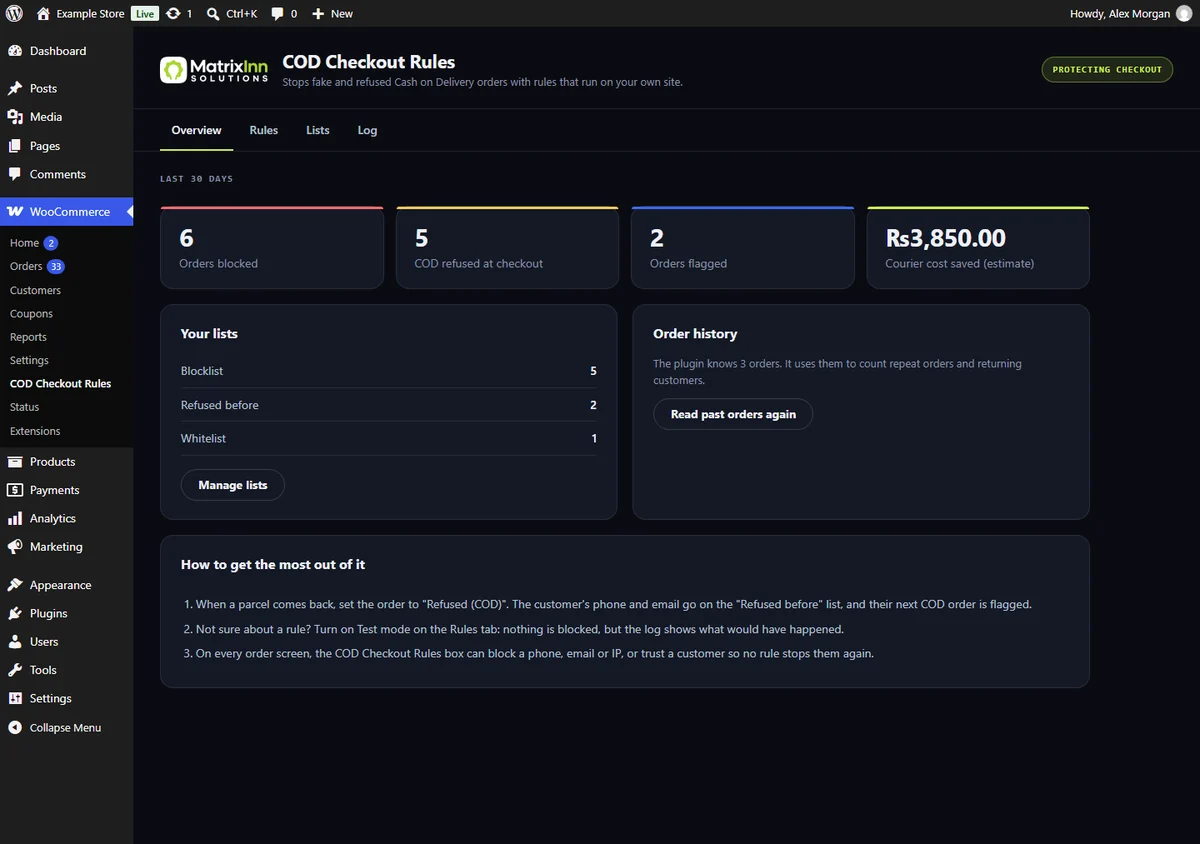
Every fake Cash on Delivery order costs a courier fee, packing time and stock on the road. It checks each order at checkout and flags, refuses COD for, or blocks the ones that look wrong, with rules that run on your own site. No SMS, no API key.
Fewer fake orders, fewer returned parcels
The checks shop owners usually paste in as custom code, built in and tested on both WooCommerce checkouts.
Blocklist that cannot be dodged
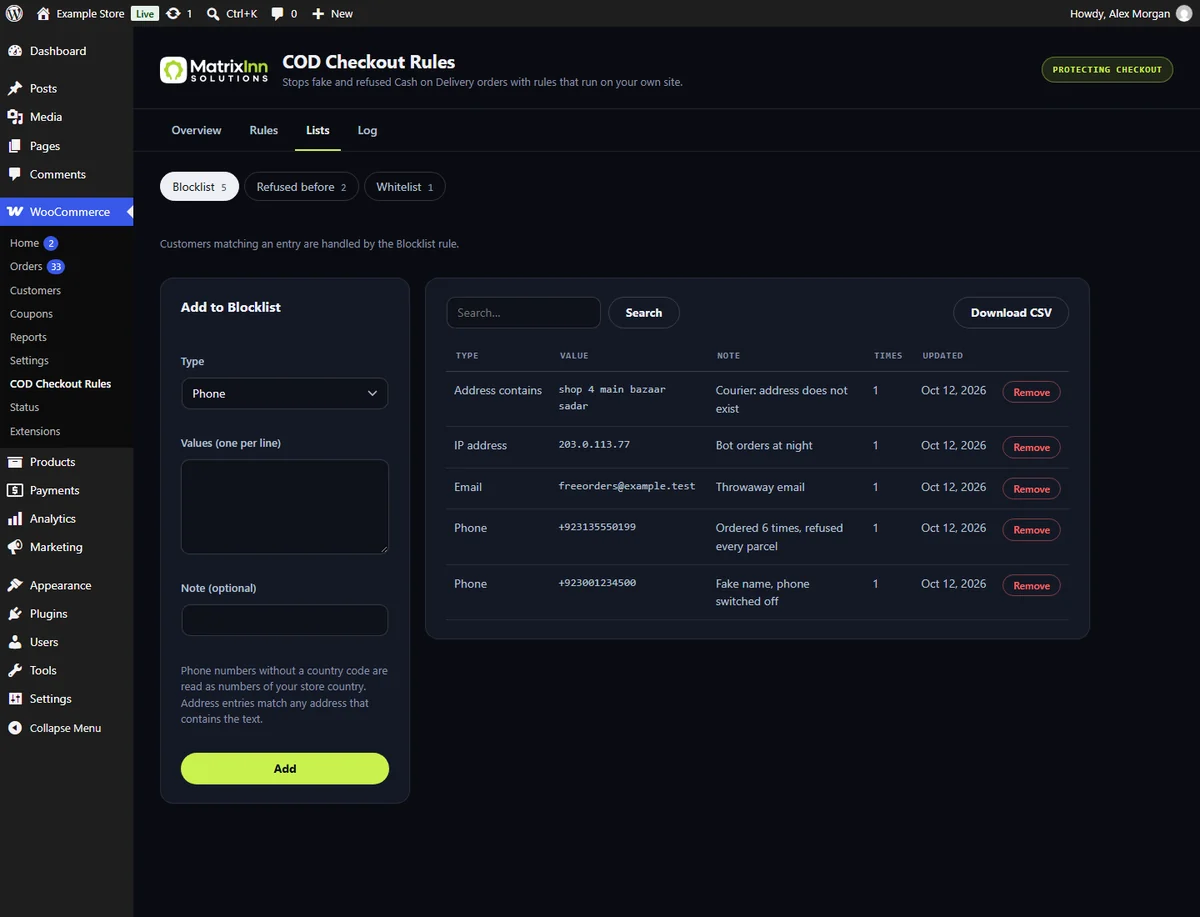
Block phone numbers, emails, IP addresses, postcodes and address text. A number matches however it is typed (0300-1234567, +92 300 1234567), and Gmail addresses match without dots or +tags.
Learns from refused parcels
Set a returned order to the new "Refused (COD)" status and the customer's phone and email go on a list. Their next Cash on Delivery order is flagged automatically.
Real mobile numbers only
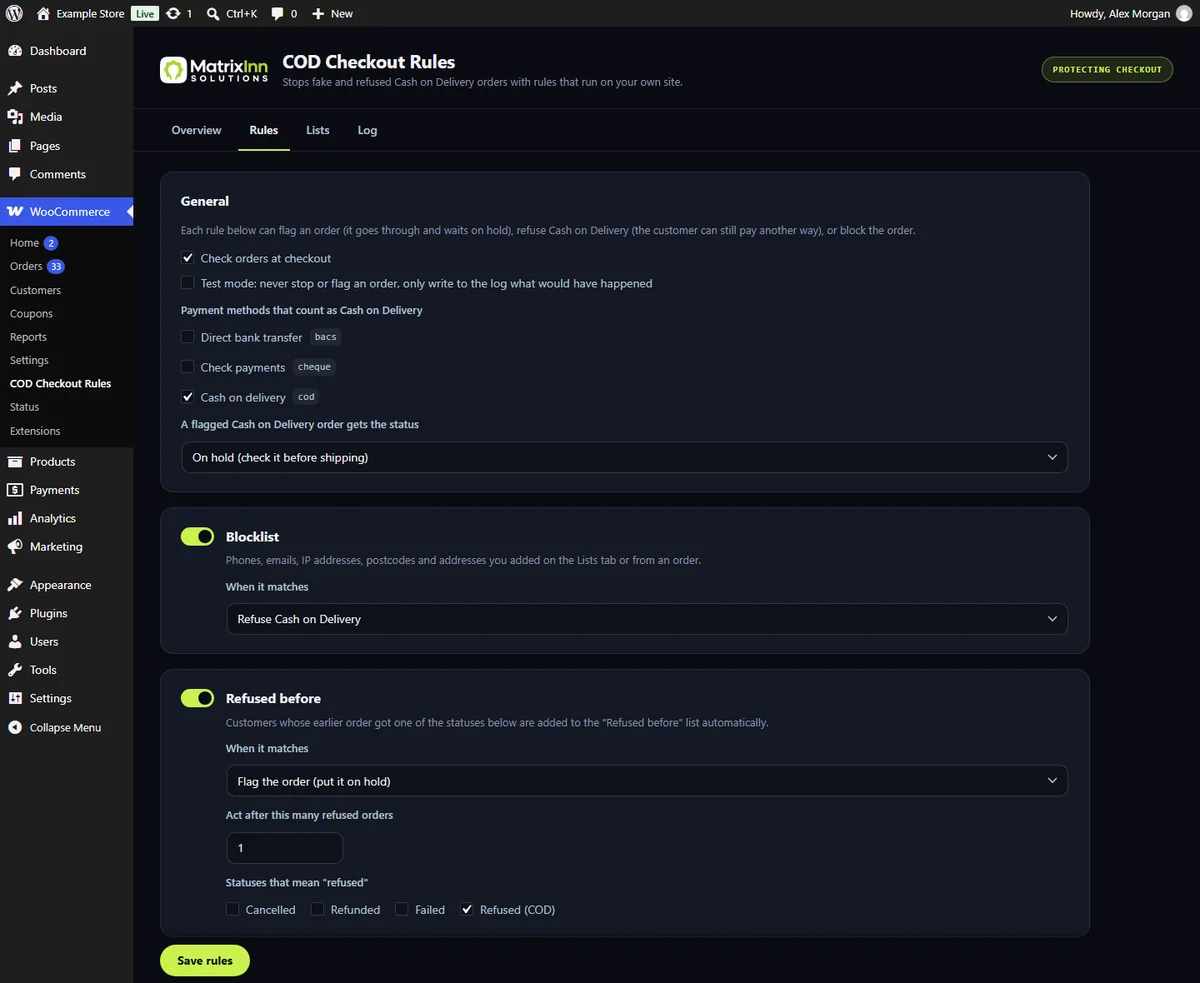
Checks the billing phone against the mobile number format of Pakistan, India, Bangladesh, UAE, Saudi Arabia, Qatar, Kuwait, Bahrain and Oman, and catches made-up numbers like 0300-0000000.
Too many orders
Limit how many Cash on Delivery orders one phone, email or IP address can place in a time window.
COD for returning customers
Optionally offer Cash on Delivery only after a number of completed orders, and limit it by city, postcode or order total.
You choose what happens
Per rule: flag the order and put it on hold, refuse Cash on Delivery while other payment methods still work, or block the order. A whitelist always wins, and Test mode only logs.
Right on the order screen
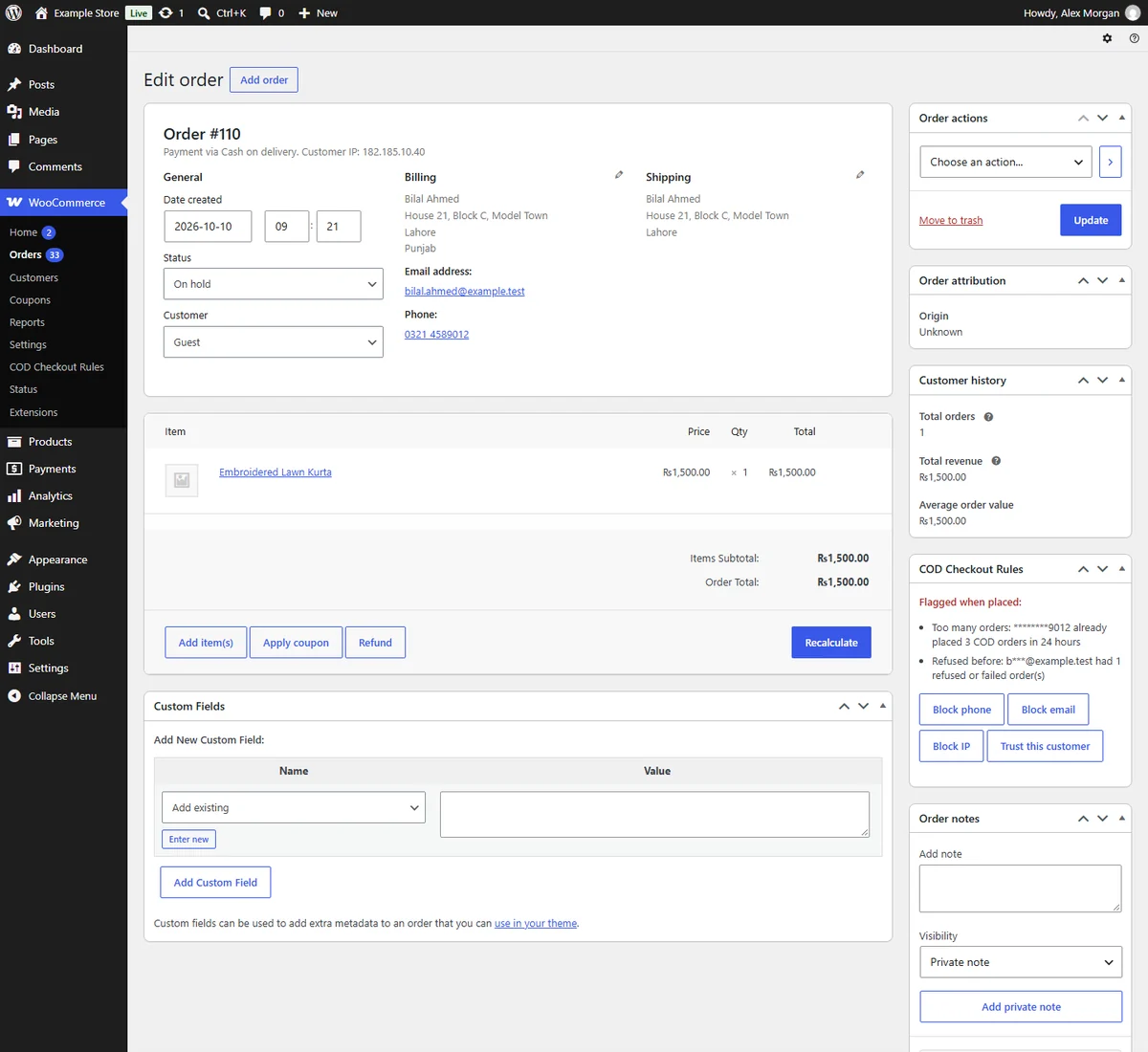
The COD Checkout Rules box shows why an order was flagged, with buttons to block the phone, email or IP, or to trust the customer.
Runs on your own site
No SMS service, no API key and nothing sent away. Works with the classic checkout and the Checkout block, and with HPOS order storage.
See it in action
Good to know
What’s new
First version: blocklist, refused-before list, mobile number check, repeat-order limit, returning-customer COD, city/postcode and order-total rules, whitelist, test mode, log, the COD Checkout Rules box on orders and the Refused (COD) status.
Common questions
Is MatrixInn COD Checkout Rules for WooCommerce free?
Yes. Every rule in it is free, with no limit on list entries and no account.
Do I need an SMS or OTP service?
No. All rules run on your own site with your own order data. Nothing is sent to another server.
Will it block honest customers?
Rules that can catch honest customers start as "flag", which only puts the order on hold. Test mode shows what a rule would do before you switch it on, and trusted customers can be whitelisted with one click.
Does it work with the WooCommerce Checkout block?
Yes. It works with the Checkout block and the classic checkout, and with High-Performance Order Storage (HPOS).
Which payment methods count as Cash on Delivery?
WooCommerce's own Cash on delivery by default. You can tick other payment methods, for example a COD method from another plugin.
What happens to my lists if I delete the plugin?
They are kept unless you tick "delete data" in the settings first.
Questions about fake orders?
We’re happy to help you set up rules that fit your shop and your courier. Reach the team directly and we’ll reply within one business day.
info@matrixinnsolutions.com